
Be with people. Let the notes and the planning take less of you.
Steady Presence turns Claude, ChatGPT, Gemini or Grok into a quiet assistant for chaplains of any faith or none. Turn visit notes into clear, de-identified charting, find prayers, readings and blessings from many traditions to offer, never impose, prepare for deaths, family meetings and memorials, plan bereavement follow-up and look after yourself. It knows where a chaplain's role ends and when to refer.
Get Steady Presence Chaplain Desk for $5 Plan my shift
$5 once · card, Apple Pay or Google Pay · download in a minute
Into more than one hobby? Get all 70 hobby skills for $19, this one included.
- One-time $5
- Instant email delivery
- 14-day refund
- Works in Claude, ChatGPT, Gemini and Grok
Visit note: family support, ICU
Hospital chaplain · 40-minute visit · De-identified · Patient's tradition: Catholic
Assessment: spiritual distressPlan and referralNo names, no diagnoses
- ReasonNurse referral: family gathering, poor prognosisAdult daughter and son presentReferral
- SeenDaughter tearful, asking "why now?"Son quiet, wants a priestAssess
- CareListening, presence, Psalm 23 offered and acceptedFamily chose to pray togetherCare
- PlanCalled the on-call priest for AnointingFollow up before end of shiftRefer
- TeamUpdated the nurse; social work for lodgingDocumented per policyHandoff
The work around the visits
One skill, six jobs. Claude, ChatGPT, Gemini or Grok picks the right one from what you ask.

Visit notes and charting
From rough notes to a clear entry: reason, what you observed, the care given and the plan, in your organization's format.
Prayers and readings, many traditions
Christian, Jewish, Muslim, Hindu, Buddhist, Sikh, Indigenous and secular words of comfort, offered with permission, sources named.
Grief and end of life
Preparing for a death, family meetings, rituals at the bedside, memorials and bereavement follow-up.
Every setting
Hospital, hospice, military, prison, campus and first responder chaplaincy, with the norms of each.
Reports and programs
Monthly reports, staff support sessions, memorial services, volunteer training and policy drafts.
Care for the carer
Debriefs after hard shifts, signs of compassion fatigue and a simple plan to rest.
Ask it like you'd ask a trusted colleague after a long shift
It knows multi-faith care, documentation and limits.
Your role: presence and practical help
Ask the family what they would like. Many will want to recite from the Quran (Surah Ya-Sin is often read), say the shahadah gently near the patient and turn him toward the qiblah if they can. Offer to find a quiet space, a prayer mat, the direction of Mecca and time without interruption.
Ask, don't assume
- Would they like a local imam or a Muslim chaplain called? Offer to make the call.
- After death, families often want to close the eyes, wash and shroud the body by their customs and bury quickly. Tell the nurse and the decedent affairs office early so release is not delayed.
What you can say
Words that fit any faith: "I'm here with you. Take all the time you need." Offer to pray only if they ask, and follow their lead.
Example answer from the full skill. Your answers depend on what you ask.
Clear about the limits of the role
Chaplaincy is presence, not fixing. Steady Presence helps around the edges and knows when to refer.
- Not a counselor or clinicianIt won't diagnose or give therapy. It helps you notice when to refer to mental health, palliative care or social work.
- Crisis lines firstIf someone may harm themselves, it gives crisis steps and lines, such as 988 in the US, before anything else.
- Offered, never imposedPrayers and rituals follow the person's own faith or none, with their permission.
- Privacy by defaultIt asks you to leave out names and identifying details, and follows your organization's charting rules.
Up and running in two minutes
No app to learn and nothing to install on your computer. It lives inside Claude, ChatGPT, Gemini or Grok.
Buy once
Pay $5 by card, Apple Pay or Google Pay. Your download link arrives by email in about a minute.
Add it to Claude, ChatGPT, Gemini or Grok
Upload the ZIP under Skills in Claude, or the unzipped folder in Gemini. It takes about 30 seconds. In Grok, upload the ZIP, or paste the included paste-in file into a new skill. In ChatGPT, add the included paste-in file to a Project.
Just ask
"Turn these notes into a chart entry." "A Buddhist prayer for a dying patient's family." "Help me plan a staff memorial."
Pick your app for the exact clicks
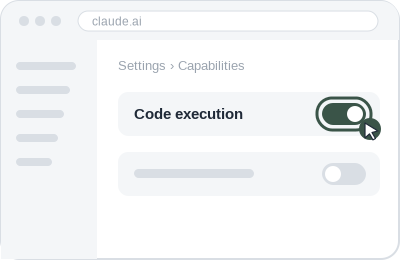
1In Settings, then Capabilities, turn on code execution.
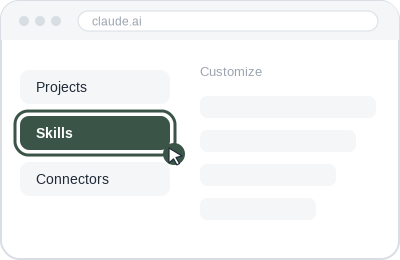
2Open Customize, then Skills.
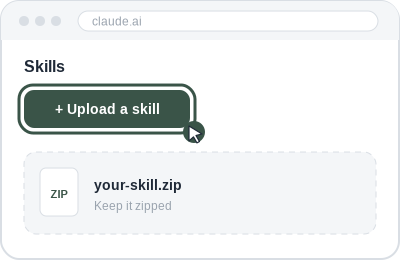
3Click +, choose Upload a skill, pick the ZIP. Keep it zipped.
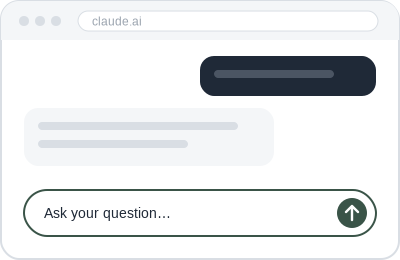
4Start a new chat and ask. Claude picks up the skill.
Works on every Claude plan, including the free one. Free plans have lower usage limits.
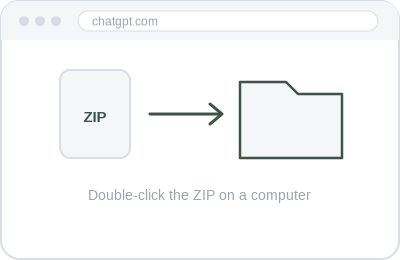
1On a computer, unzip the download and find ANY-AI-PASTE-VERSION.txt.
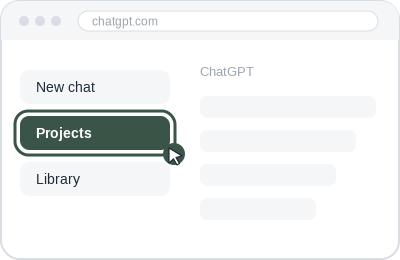
2In ChatGPT, open Projects and make a new project.
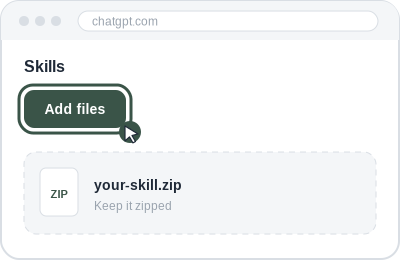
3Add the .txt file to the project. In its instructions, type: Follow the attached file.
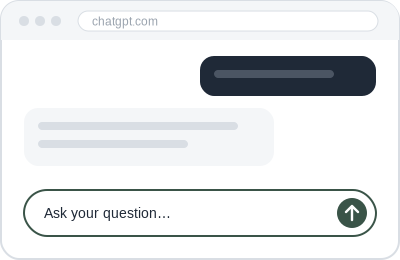
4Start a chat in that project and ask. On a Business, Enterprise or Edu plan, you can upload the ZIP under Skills instead.
Personal ChatGPT plans (Free, Plus, Pro) don't have a Skills page yet, so you use the paste-in version in a Project. On a Business, Enterprise or Edu plan, go to chatgpt.com/skills, choose Add, then Upload from your computer.
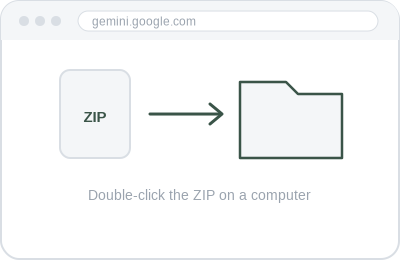
1On a computer, unzip the download. You get a folder.
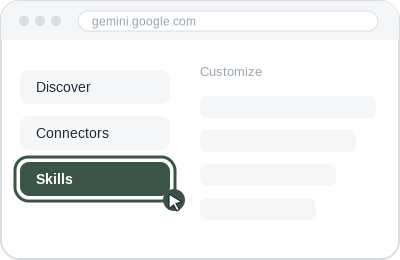
2At gemini.google.com, open Customize, then Skills.
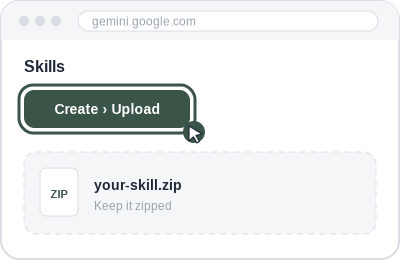
3Choose Create, then Upload, then folder. Pick the unzipped folder.
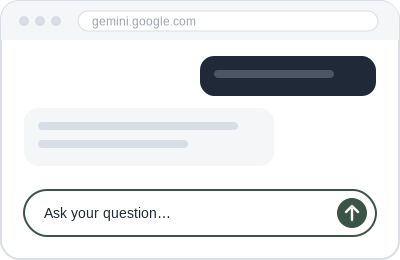
4Start a new chat and ask.
Gemini takes the unzipped folder, not the ZIP. Menus in Gemini change often, so names may differ slightly.
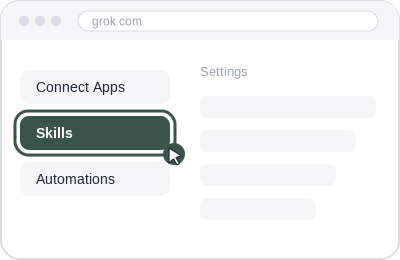
1At grok.com, open Settings, then Skills.
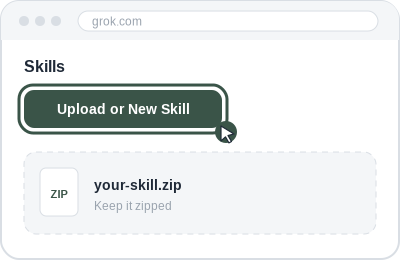
2If you see Upload, pick the ZIP. If you only see New Skill, use the next step.
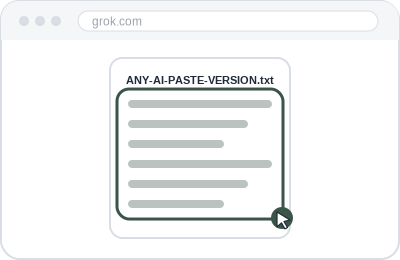
3New Skill: name it, then paste the text of ANY-AI-PASTE-VERSION.txt (below the line of equals signs) into Instructions.
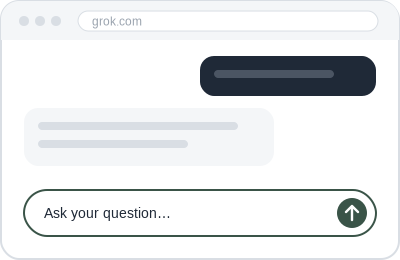
4Save it, start a new chat and ask.
Some Grok plans upload the ZIP; others show a New Skill form, where you paste the skill text in. Menus in Grok change often, so names may differ slightly.
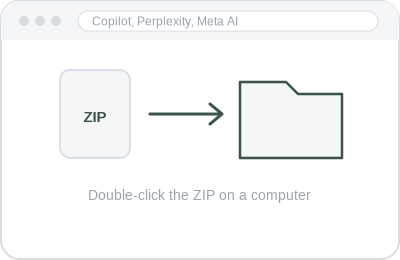
1No Skills page? Unzip the download on a computer.
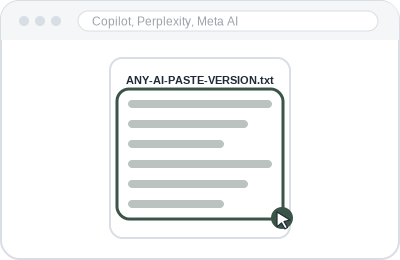
2Open ANY-AI-PASTE-VERSION.txt and copy everything.
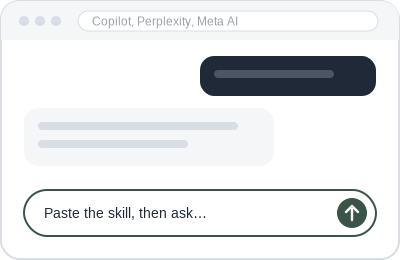
3Paste it into a new chat, then ask your question.
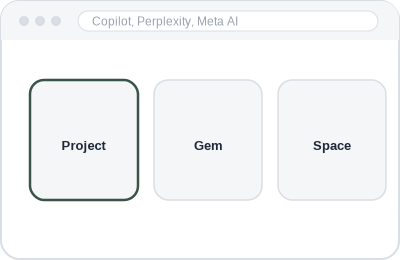
4To keep it on, add it to a ChatGPT Project, Gemini Gem or Perplexity Space.
Using Claude Code, Codex, Cursor or another coding agent? Unzip it into the skills folder, for example unzip steady-presence-chaplain-desk.zip -d ~/.claude/skills/
On your phone? Go ahead and buy: the download link goes to your email and works for a year. Adding a skill is easiest from a computer, in a web browser or the desktop app, so open that email there when you're ready. Want to try it on your phone today? Open the ZIP, copy ANY-AI-PASTE-VERSION.txt into any chat app, and ask.
Start with the free Visit Note
A small skill that turns your rough notes from a visit into a clear, de-identified chart entry with assessment, care given and plan.
- Reason, observations, care and plan
- No names or diagnoses
- Flags when to refer
Get Steady Presence Chaplain Desk
Pay once, use it whenever you need it. Includes the free Visit Note too.
How to add it
Upload the ZIP under Skills in Claude, or the unzipped folder in Gemini (in Grok, upload the ZIP or paste the paste-in file into a new skill; in ChatGPT, add it to a Project), then start a new chat and try: "Turn my notes from a visit into a chart entry. I'm a hospital chaplain. Notes: ICU, family of a patient with a poor prognosis, daughter tearful, son asked for a priest."
See the clicks for your app. Every download also comes with a paste-in version for any other chat, and a Start Here PDF.
Step-by-step guides with pictures: Claude · ChatGPT · Gemini · Grok
Steady Presence Chaplain Desk
Visit notes, multi-faith care, grief and end of life, reports and self-care.
$5 one time
- Visit notes and charting in your format
- Prayers, readings and blessings from many traditions
- End-of-life and grief support guides
- Bereavement follow-up plans
- Reports, memorial services and staff support
- Self-care and debrief prompts
- Updates for a year
Card, Apple Pay or Google Pay through Stripe. Taxes calculated at checkout. 14-day refund.
Giving it as a gift? Buy it, forward the email, and print a gift card.
See a real answer from the full skill
You ask: A Muslim patient's family asked me to be with them as he dies. I'm a Christian chaplain. What should I know, and what can I offer?
Your role: presence and practical help
Ask the family what they would like. Many will want to recite from the Quran (Surah Ya-Sin is often read), say the shahadah gently near the patient and turn him toward the qiblah if they can. Offer to find a quiet space, a prayer mat, the direction of Mecca and time without interruption.
Ask, don't assume
- Would they like a local imam or a Muslim chaplain called? Offer to make the call.
- After death, families often want to close the eyes, wash and shroud the body by their customs and bury quickly. Tell the nurse and the decedent affairs office early so release is not delayed.
What you can say
Words that fit any faith: "I'm here with you. Take all the time you need." Offer to pray only if they ask, and follow their lead.
Into more than one hobby? The Skill Pass gets you all 70 hobby skills, this one included, for $19.
New to AI skills?
Steady Presence is a skill: a set of expert instructions you add to your own Claude, ChatGPT, Gemini or Grok account, so it answers like a chaplain's assistant who knows the craft.
- Using Gemini? Unzip it and upload the folder on its Skills page. Using Grok? Under Settings, Skills, upload the ZIP or paste the paste-in file into a new skill. Using ChatGPT? Add the included paste-in file to a Project.
- New to all of them? Claude is an AI assistant made by Anthropic. Make an account at claude.ai: skills work on every Claude plan, including the free one, with code execution turned on in Settings, Capabilities.
- Try the free Visit Note skill first. If you like it, the full skill is one purchase.
Not ready for an AI app? The free chaplain shift and visit planner on this site works in any browser, no account needed.
Free chaplaincy tools
No sign-up, they run in your browser.
Made by Nic Hubert, What If Labs
I run What If Labs from British Columbia, Canada. I build each skill with AI help and test it on real questions, and a separate reviewer checks it before it goes on sale. If it doesn't do what this page says, email me at hello@whatiflabs.ai and I'll fix it or refund you.
No reviews yet: this store is new. Tell me how it went and I'll use it to make the skill better.
Questions
Is it for chaplains of any faith?
Yes. It supports Christian, Jewish, Muslim, Hindu, Buddhist, humanist and interfaith chaplains, and helps you care for people of any faith or none.
Is it safe to put patient details in it?
Leave out names, dates of birth, room numbers and anything that identifies a person. Follow your organization's privacy rules, and use only tools your employer allows for clinical documentation.
Can it help with someone in crisis?
It gives you crisis steps and referral options, such as 988 in the US, and reminds you of your organization's protocol. It is not a counselor or clinician and does not replace emergency or mental health care.
Does it fit military or prison chaplaincy?
Yes. Tell it your setting and it follows the norms of that context: confidentiality rules, command or facility policies, and the people you serve.
What do I need to use it?
A Claude, ChatGPT, Gemini or Grok account. In Claude it works on any plan, including the free one, with code execution turned on (Settings, Capabilities). Free accounts have lower usage limits, so long planning sessions go further on a paid plan. It works in Claude on the web, the desktop app and Claude Code. In Gemini and Grok, upload it on the Skills page. In ChatGPT, personal plans (Free, Plus, Pro) don't have Skills yet, so you add the included paste-in file to a ChatGPT Project; Business, Enterprise and Edu plans can upload the ZIP under Skills. Coding agents that read SKILL.md files work too. Using Copilot, Perplexity, Meta AI or another chat with no Skills page? Every download includes a paste-in version (ANY-AI-PASTE-VERSION.txt) that works in any AI chat.
What if it doesn't work for me?
Email hello@whatiflabs.ai within 14 days of buying and we'll refund you in full. No forms, no questions.
How is this different from just asking an AI?
A general AI answer is often vague or skips steps. The skill gives your AI an expert's method: what to ask you first, the checklists and calculations to run, and the mistakes to warn you about. You get consistent, specific answers instead of a different guess each time.
Do I pay every month?
No. It's a one-time price, and updates to the skill are free.
Can I get a refund?
Yes. Every purchase comes with a 14-day refund, no questions asked. Reply to your receipt email and we'll take care of it.
What if it gets something wrong?
It shows its working, so you can check numbers and dates. Tell it what's off and it will correct itself. For anything where a mistake costs money or safety, double-check before you act, as you would with any advice.
Is my information private?
The skill runs inside your own Claude, ChatGPT, Gemini or Grok account, and we never see your chats. When you buy, Stripe handles the payment and we keep your email and order so we can send the download. The terms and privacy page has the details.